

Table of Contents
2026 Highlights
Year to date · Q4 additions remain work in progress
The biggest changes help teams find incident footage, understand activity and respond across their sites. See the quarterly release notes for the full change list.
Find the Incident Footage
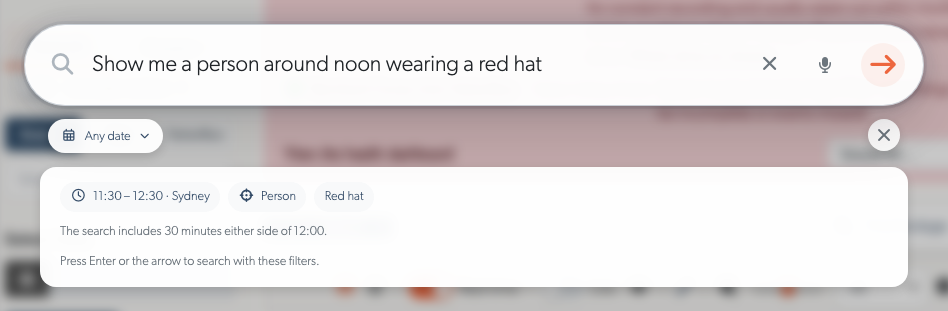
Describe what happened, such as “a person wearing a red hat around noon”, and review the suggested search before opening the results. Camera descriptions help match locations such as loading docks and service yards. Natural Language Search combines available recorded detections and event context; appearance searches cannot add detail to older footage.
The event player keeps the incident together with continuous playback, filmstrip navigation and sharing, while preserving your place in the events list.
Understand Activity with On-Device AI
TetherX AI distinguishes people, vehicle types and animals, with recorded appearance information available for searches. Audio analytics identify sounds such as alarms, voices and breaking glass.
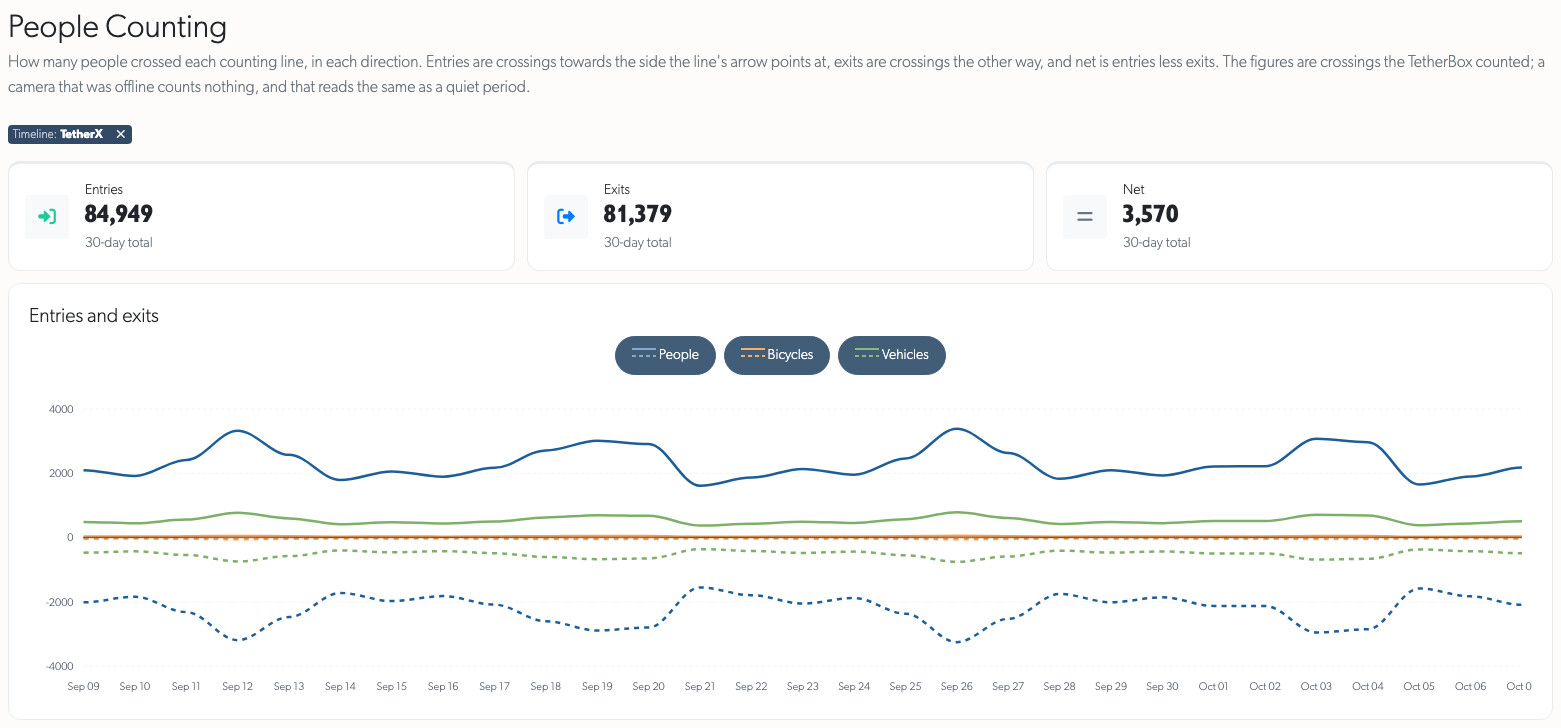
People Counting compares entries and exits for people, bicycles and vehicles, with time and location filters and downloadable reports. Video AI requires compatible TetherBox hardware and software. Optional PPE and covered-face detection are off by default; contact TetherX support to enable them.
Turn Detections into a Response
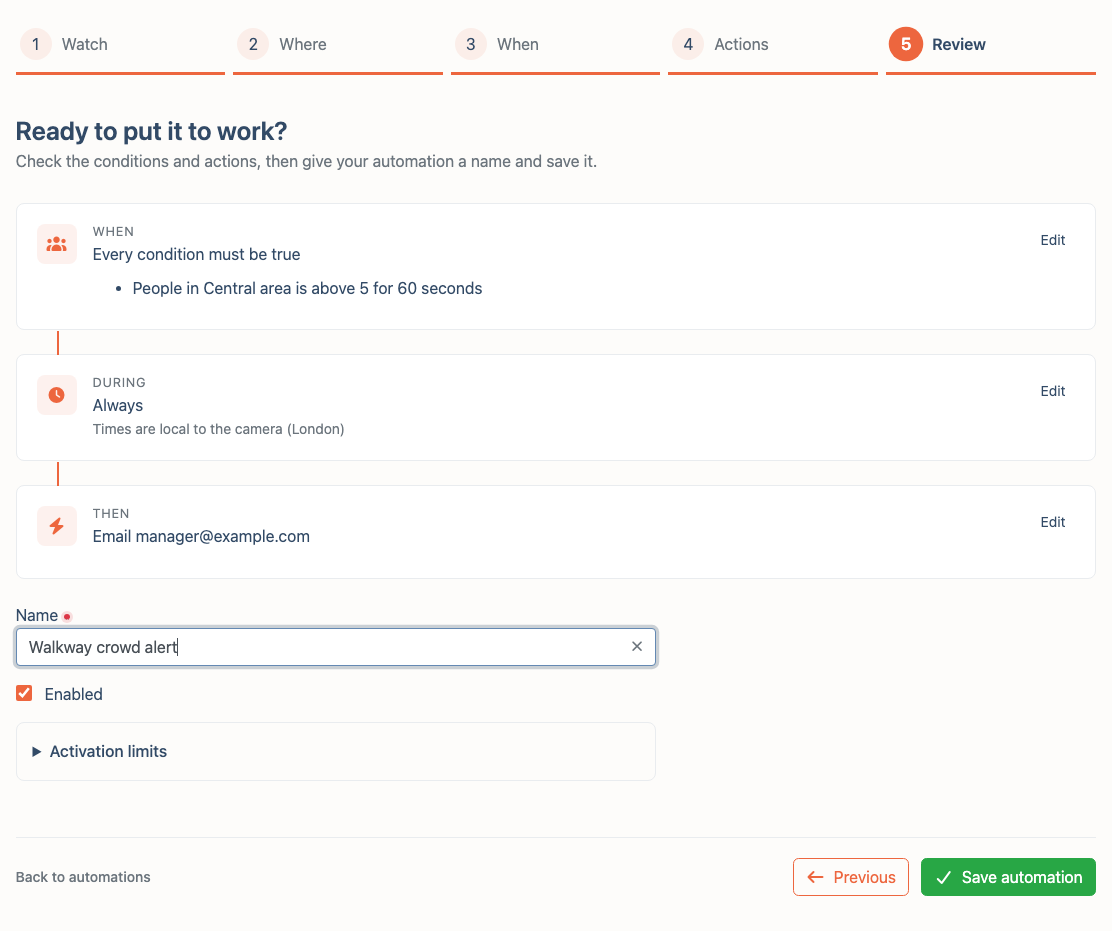
Automations and Rules can alert when a counter is unattended or a crowd forms, then notify the right people, play a recorded warning or activate supported lights, sirens and relays. Named regions, active hours and duration thresholds define when a response is appropriate.
Automation setup currently requires TetherX support and compatible TetherBox AI software and equipment.
Work Alarms Through to Resolution
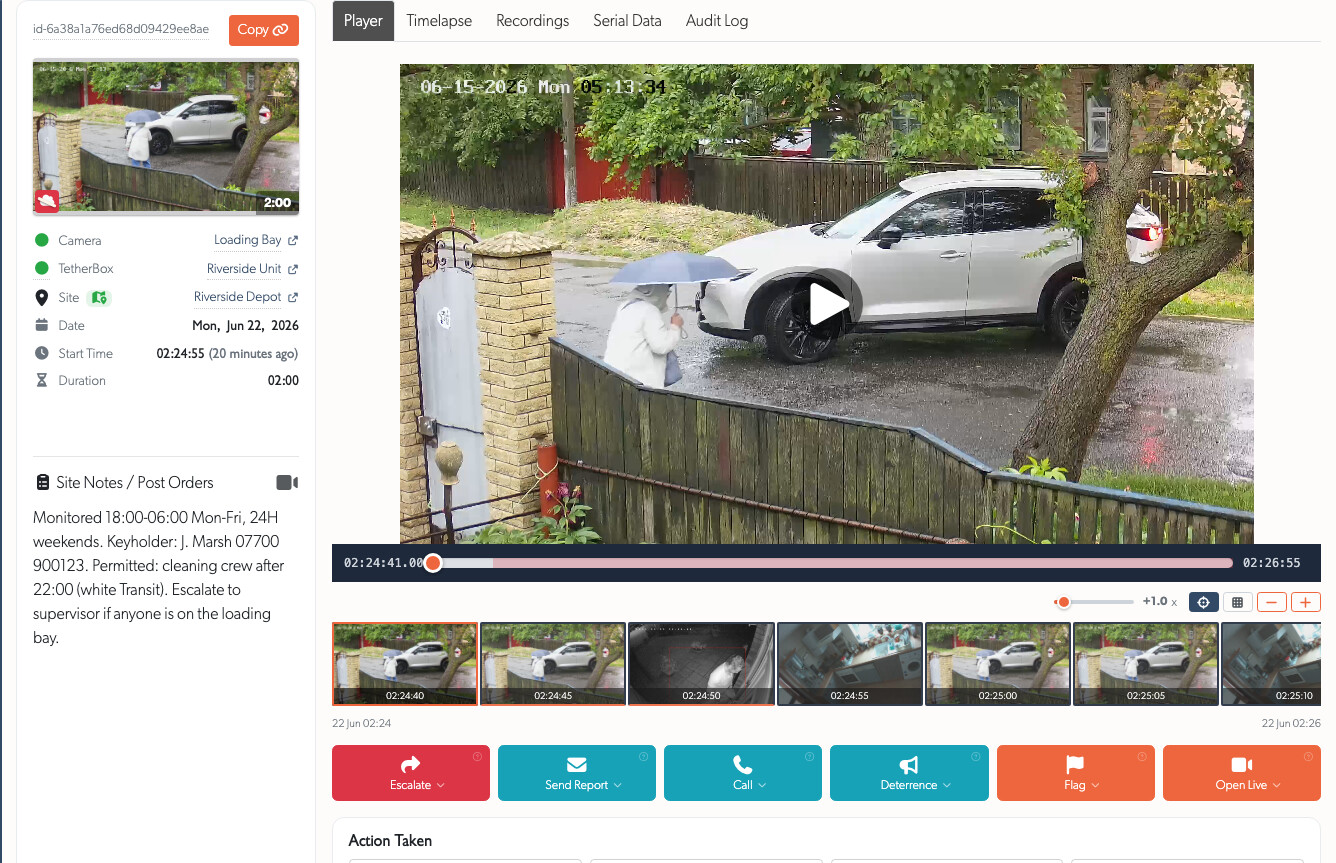
The operator console brings footage, site instructions, escalation and recorded actions into one view. Operators can talk to the site or use supported deterrents, while ARC Performance Reports show activity, response times and outcomes.
For sites with Professional Monitoring, Monitored Hours supports local-time schedules, date exceptions and temporary pauses. Continuing activity remains visible after closure in the Monitoring Strip. Control-room integrations connect the workflow to existing receiving systems.
Protect Recording Availability
Health and scheduled reports bring camera, recorder and drive faults together. AI Insights helps interpret drive health alongside workload and temperature history.
Compatible TetherBoxes can recover stalled USB connections and set up confirmed blank recording drives automatically, with checks to protect existing footage. Storage explains recovery outcomes and when an on-site visit is needed. See Recording Storage.
Watch and Control Sites from Any Screen
Live View brings saved camera walls, layouts for wide and portrait screens, phone-friendly zoom and fullscreen controls, and camera PTZ presets. Operators can use supported talkdown and deterrents from the same view.
Direct local streaming uses compatible on-site TetherBoxes, while remote streaming provides automatic fallback. Recovery retains the last picture and preserves viewing choices.
Commission and Manage Sites at Scale
Supported cameras gain automatic configuration, remote activation and IP assignment, with bulk changes to reduce repeated setup. Rule-based schedules and named Watch and Ignore areas make site-specific behaviour easier to maintain.
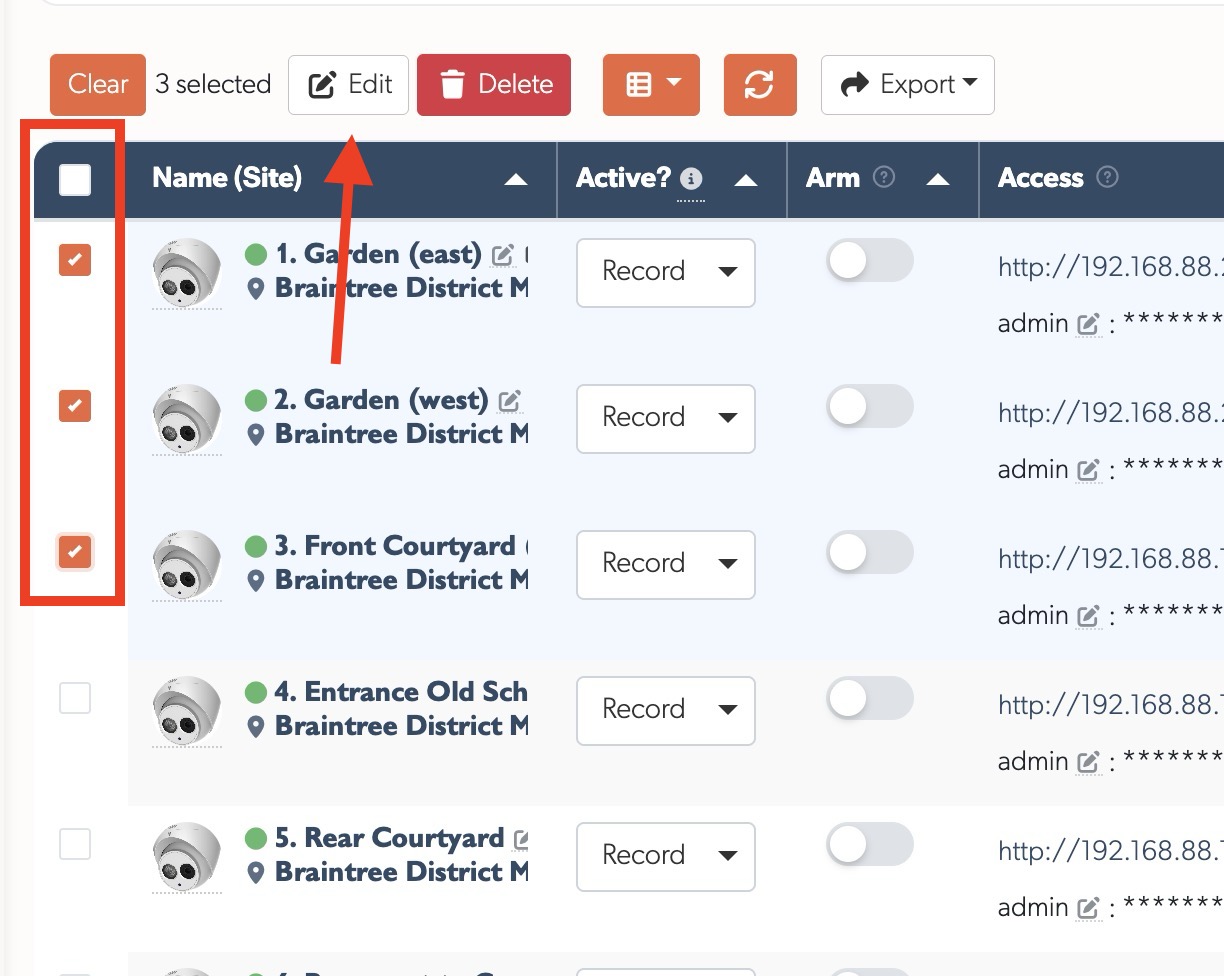
Site-scoped permissions give administrators, integrators and distributors access to their assigned sites. Time-Limited User Access provides temporary access to selected event zones.
Statistics
Completed-quarter development totals are shown below. Q4 is still in progress.
| Quarter | Commits | Lines Added | Lines Removed | Net Lines |
|---|---|---|---|---|
| Q1 | 163 | 98,075 | 46,312 | +51,763 |
| Q2 | 217 | 93,667 | 45,907 | +47,760 |
| Q3 | 346 | 364,999 | 97,813 | +267,186 |
| Total | 726 | 556,741 | 190,032 | +366,709 |