

Table of Contents
Where to Run the TetherBox Software
Run the TetherBox software next to the equipment it manages wherever possible. That keeps recording local, makes device discovery and tunnelling straightforward, and avoids putting cameras or panels on the public Internet.
Central deployment is possible when a private, resilient link already connects the host to the equipment. You can also run the appliance in a virtual machine when a suitable host is already available.
| Requirement | Best fit |
|---|---|
| Recording must continue through a WAN, Internet or wireless-link outage | On-site |
| Serial, Modbus or dry-contact equipment | On-site |
| Cameras across several isolated network segments | On-site, one TetherBox per segment or area |
| Metered, cellular or capacity-constrained connection | On-site |
| No location or power for a host near the equipment | Central, if the network meets the checklist below |
| Existing suitable Windows, macOS or Linux host | VirtualBox, usually on site |
On-Site Deployment
Install the TetherBox on the network segment that contains its cameras, recorders, alarm panels and controllers. This is the normal deployment model.
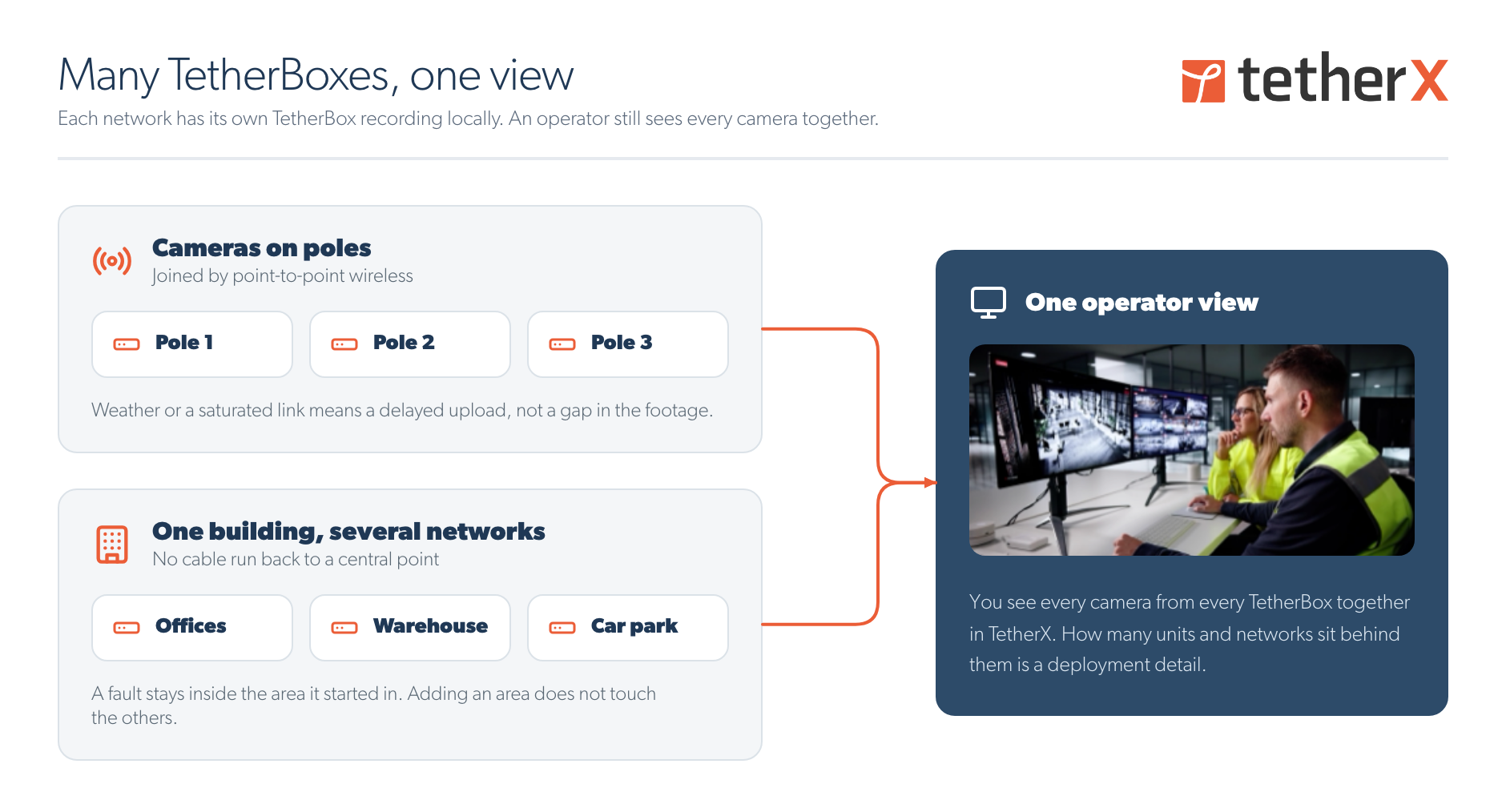
An on-site TetherBox:
- Records locally, then uploads when the platform connection returns.
- Discovers and tunnels to the equipment on its local segment.
- Supports local serial, Modbus and dry-contact integrations with a compatible interface.
- Connects out to TetherX, so the managed devices do not need port forwarding or public addresses.
Put it in a communications cabinet, alarm enclosure, roadside cabinet or other protected location close to the equipment. For outdoor or unconditioned locations, use hardware, cooling, storage and an enclosure rated for the conditions.
Warning: Roadside cabinets, poles and plant rooms can expose equipment to heat, moisture, dust, vibration and unreliable power. Specify hardware and an enclosure that suit the environment.
Choose the host that suits the site:
- TetherBox appliance or Linux host: run it directly on compatible x86 or ARM hardware. See Build a TetherBox on Your Own Hardware.
- Virtual machine: run the ready-to-use appliance on a suitable existing host. See Running TetherBox in VirtualBox.
- Several TetherBoxes: use one per network segment or area when devices cannot route to one shared host.
Central Deployment
A central TetherBox reaches the equipment across a private WAN, campus network, point-to-point wireless link, MPLS, SD-WAN or similar route. It can serve a large site or several sites, but all recording streams must cross that link continuously.
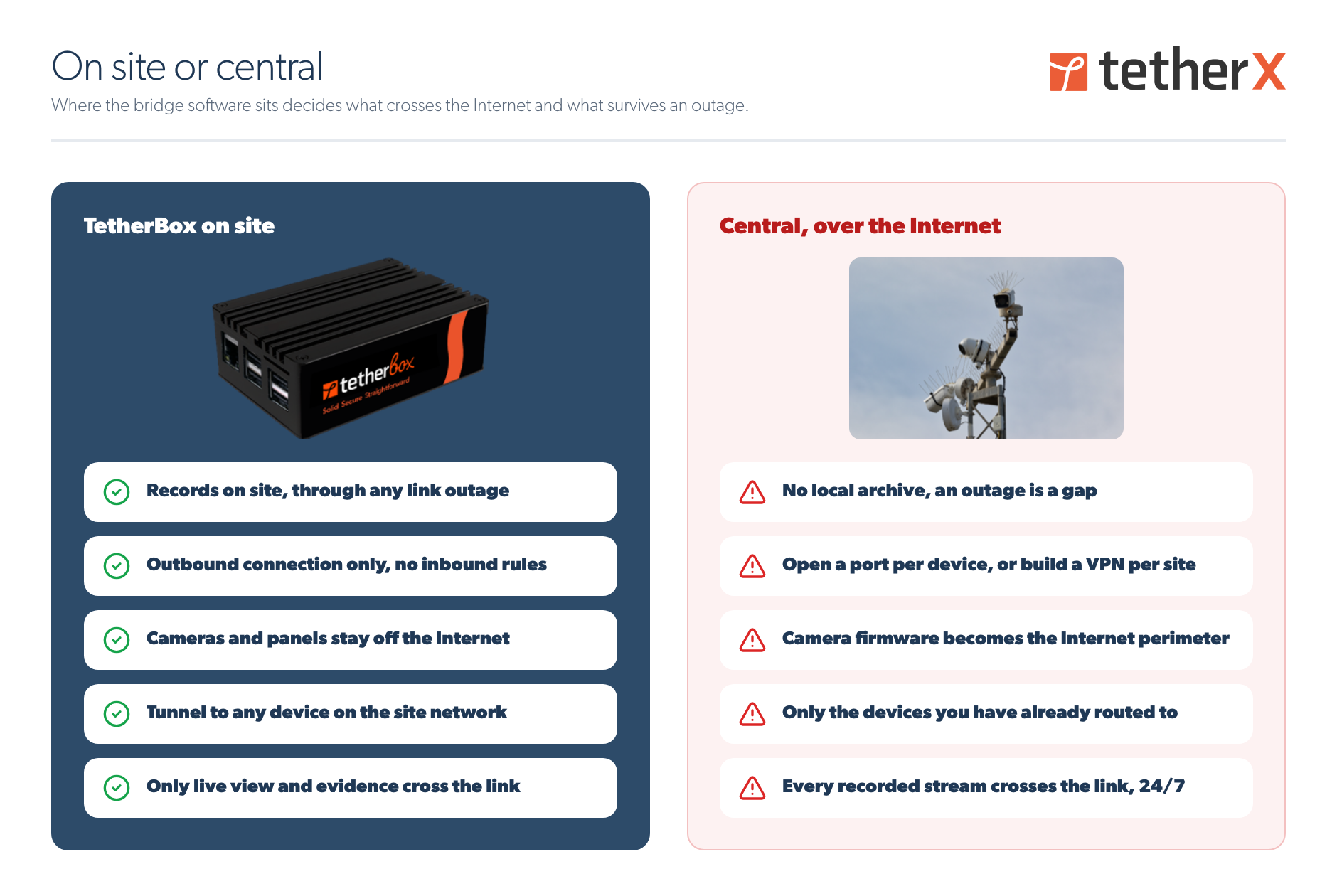
| Characteristic | On site | Central |
|---|---|---|
| Recording during a link outage | Continues locally | Stops until the link returns |
| Traffic across the link | Live viewing, events and chosen uploads | Every configured recording stream |
| Device discovery and tunnelling | Local segment | Only networks the host can route to |
| Local serial, Modbus and dry-contact devices | Supported | Need a local gateway |
| Public device address or port forwarding | Not required | Avoid it. Use a private link instead. |
Before choosing this model, confirm that:
- The host can route to every device, without overlapping IP ranges.
- The link carries the aggregate configured camera bitrate continuously and is not metered or capped.
- Latency, jitter and packet loss suit video and the required device protocols.
- The host and its storage cover every site's configured recording and retention requirement.
- Losing recording while the link is unavailable is acceptable to the customer.
For scale, eight cameras at 4 Mbps produce 32 Mbps continuously, around 345 GB a day. Size the link from configured camera bitrate, not average Internet use. See TetherBox Recording Capacity.
Warning: A central host stops recording when its link to the equipment fails. Use an on-site TetherBox where a recording gap is unacceptable.
Keep Devices Off the Internet
An on-site TetherBox establishes the connection to TetherX, rather than exposing cameras, recorders and panels to inbound Internet traffic. Use Tunnelling to Network Devices for authorised remote configuration.
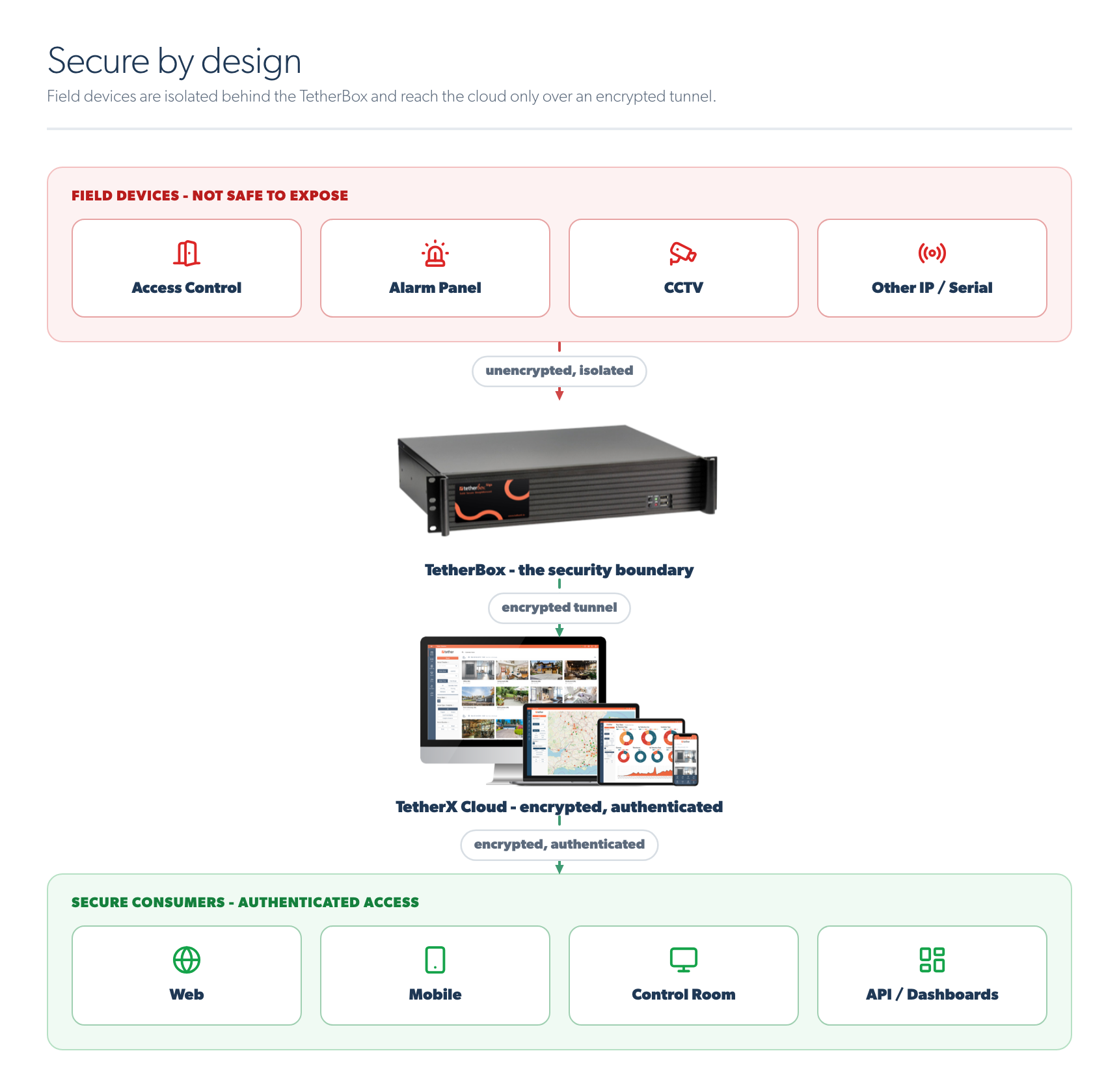
Central deployment can keep devices private too, when the host reaches them over a private network. Avoid publishing device interfaces through public addressing, NAT or port forwarding: the security of that arrangement depends on every device's firmware, credentials and continued patching.
Warning: Do not expose cameras, recorders, intercoms or alarm panels directly to the public Internet. Use a private network, VPN or TetherBox-mediated access.
Combine Models When Needed
One estate can use both models. An operator still sees the same cameras and events in TetherX, whether they are served by one central host or several local units. Add a local TetherBox later when a central link becomes a recording or management bottleneck.
Related Articles
- Build a TetherBox on Your Own Hardware - prepare a standalone Linux host
- Running TetherBox in VirtualBox - run the appliance in a virtual machine
- Hardware Specifications - size CPU, RAM and recording storage
- TetherBox Recording Capacity - calculate recording storage and bandwidth
- Connecting your TetherBox to the Internet - outbound connectivity requirements
- Tunnelling to Network Devices - reach authorised on-site equipment remotely
Referenced in: